

Blog
Welcome


Recent posts
SEARCH RESULTS FOR: Smart Filtering
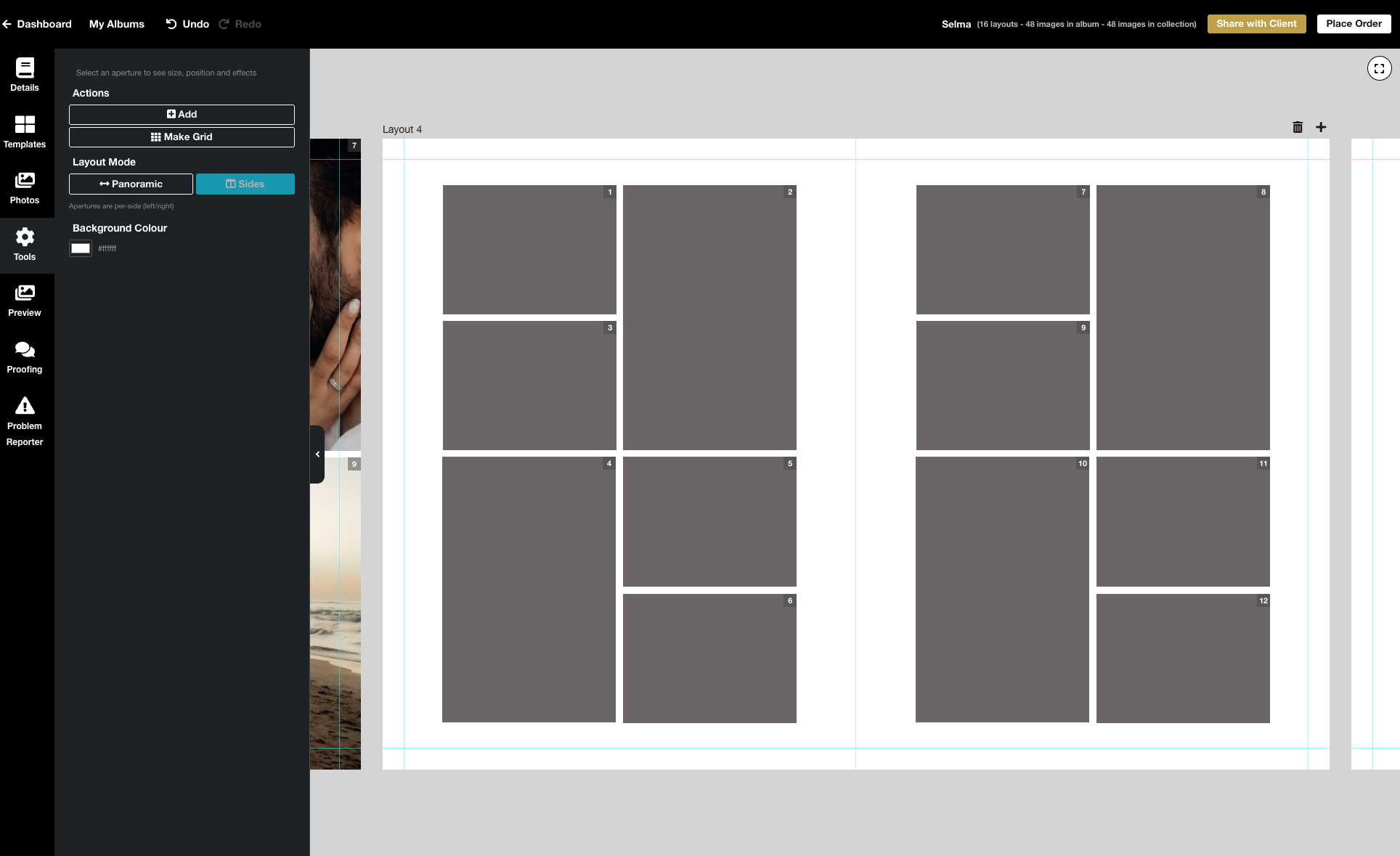
We’re excited to release the biggest update yet to our online Album Designer, focused on the things that matter most when you’re designing: control, speed, and precision. Here is a full list of what’s included in this release: Simple to use, faster and more fluid Our goal is to help you design beautiful albums easily, and you certainly can’t miss the improved performance! Even albums with many high-resolution images feel faster and more fluid: * Faster rendering * Fast movement between pages * Smoother drag-and-drop function * Reduced load times * Improved responsiveness To View More >>
This entry was posted in Product Updates by Stephen Baugh
Previous | Contents | Next Download the eBook "Me me me! My favourite word." — Seth Godin The people paying Here’s the key thing about social photography. Those people in your viewfinder are paying your bills. All of your bills. And the images you take are more or less worthless to anyone else. What are your customers after? Why do they want their photographs taken? Actually, do they want their photographs taken? In social photography the trick is to understand that it’s not about the print, or the album, or the photography, or Photoshop, or what your peers think To View More >>
We very rarely share the positive reviews we receive from our clients but the other day we received a pretty special one from one of our new Print Shop users, Damien Lovegrove. He's a "go for it" guy who'd launched his store within a week of deciding to use Print Shop, and within days of that made his first large format canvas sale. We're sharing his review for two reasons: It offers great advice for anyone starting out — why he chose the platform, and the challenges he faced when setting it up. If you're already using Print Shop we'd love your thoughts over on the insider about what features To View More >>
This entry was posted in Stories by Alexandria Baugh

We launched Studio Albums towards the end of last year, and are so excited by the response. Now, a few months on, we want to share why photographers are choosing them as their album of choice — and also to thank everyone who helped us develop this new range. We love making them for you! 01. SPEED Did you know Studio Albums have a 5-7 day turn-around time? Once we’ve receive payment your order will despatch 5-7 days from when it goes into production. Crazy fast for a fully customised, handmade product, right? 02. PRICE We can't share the prices here but they To View More >>
This entry was posted in by Alexandria Baugh

Queensberry Host. Share. Promote. Sell. A great online workflow starts with beautiful galleries hosted in Queensberry Workspace. Take advantage of our biggest Workspace sale of the year – 40% off annual plans! Deal: 40% off Workspace Annual plans. Code: WORKSPACE40 Find out more: www.queensberry.com/workspace Sale Dates: 27 November - 5 December Narrative App Great blogs start with Narrative. Build unique posts offline in under ten minutes - through drag and drop - and then publish them directly to your website. This Black Friday get 50% off all annual plans To View More >>
This entry was posted in by Alexandria Baugh

Time is a valuable resource in any business, but especially photography. With that in mind, it makes sense to make the most of it, and to ask yourself, can I do things more efficiently? If I could outsource something, should I? Is what I'm doing even necessary? Here are four ways to optimise your time and make the most of every shoot. 1. Outsource Ask photographers why they got into portrait and wedding photography and they'll say how they love photography … or telling love stories … or connecting with clients on their special days. Not many say To View More >>
This entry was posted in Marketing, by Victoria Hollings

Take advantage of these three deals this Black Friday. Offer ends Cyber Monday! Our friends at Fundy and Smart Albums are also offering their best deals of the year! Save $100 on your purchase or upgrade today. Click the graphics below to grab the deal. To View More >>
This entry was posted in by Alexandria Baugh

After more than fifteen years in the business, UK photographer Simon Whitten of Firehorse Photography & Filming has covered more than 600 weddings on four continents. He's has been a friend of Queensberry for much of his career. Simon is strong-minded character who believes that the key to success is to find your own way and stand out from the crowd. "Don't follow the latest fads or fashions," he says, "or you will only ever be a follower, and always late to the party." We asked him a few questions about how that's reflected in his life and work… Simon's first To View More >>
This entry was posted in by Alexandria Baugh

I subscribe to an email newsletter by Bernie Griffiths that I really enjoy. Why? Because Bernie knows what he’s talking about. A very successful professional photographer in Melbourne for many years, he now offers seminars, workshops and mentoring services. Each email is a brief, well-written piece of advice that could have helped so many people we’ve seen enter this industry and struggle over the last forty years. Sound marketing and business practices are key, and even if you disagree with Bernie he’ll make you think. If you like the following, be sure to subscribe at www.berniegriffiths.com. To View More >>

Our statistics tell us that almost 30% of people visiting your Workspace image galleries are using their mobile devices. And the number of people using iPads or iPhones for online browsing and shopping is expected to increase dramatically over the next few years. In response to this the Queensberry developers have recently completed an awesome upgrade to the Workspace shopping cart, fixing little bugs here and there, but most importantly - making it fully adaptable to mobile and tablet devices. What does that mean for you? Well if your clients are viewing your image galleries on To View More >>
This entry was posted in by Admin
Email: info@queensberry.com
Free Phone Numbers:
New Zealand: 0800 905 905
Australia: 1800 146 251
USA: +18668350851
UK: 0800 808 5271
Canada: +1 855 581 0370