

Blog
Welcome


Recent posts
SEARCH RESULTS FOR: Password
If you’ve logged into Workspace recently you know we’ve launched Workspace 3.0 Not just another upgrade, it’s pretty massive! The key idea. instead of separate tools for different tasks, Workspace 3.0 brings everything together in one connected system. One subscription gives you everything from website and video delivery to client and task management, galleries, sales and product delivery. No disconnected tools. Try it right now with a Queensberry account You can login with your email . There's a reset password option if you’ve forgotten. You can continue To View More >>
This entry was posted in Product Updates by Alexandria Baugh

Some Workspace users have more than one account (separate brands for their wedding and portrait businesses, for example). Some busy studios have several people working in the same Workspace account (photographers, designers, sales people, for example). And some users do work for the owners of multiple Workspace accounts (album designers, editors, site managers, for example). In all those scenarios the Workspace Accounts and Users function makes life very easy. Save 40% on your annual Workspace subscription. Just quote WS40 when subscribing or updating. To View More >>
This entry was posted in , by Victoria Hollings

There’s lots to like in our new Workspace Image Galleries: stunning full bleed feature images, no-fuss emails you can personalise and style, redesigned login windows, image favouriting and updated slideshows. Read on for details... Auto-generated Emails: Your image gallery titles and passwords, and your company name and social media links, are all included in auto-generated client emails that you can personalise and style. Simple, clean and best of all, no fuss. New login window: Semi-private galleries are just that. Unless people have the password, all they can see is your chosen feature To View More >>
This entry was posted in by Alexandria Baugh

Jennifer from Nova Photography recently changed over to a Workspace hosted site. We had a quick chat with her about the process and why she made the switch. Tell us about yourself and what you do! I'm a Scot/Kiwi, having lived equally on both sides of the globe, I'm a wife and a mother as well as custom portrait photographer! I love to work with families and especially love pregnancy and newborn shoots. Nothing is more amazing to me than creating everlasting memories for my clients and providing them with timeless portraits to look back on and treasure forever! I am also moving in to birth photography To View More >>
This entry was posted in by Admin

In part this post is for the locals - us Kiwis and the Aussies from across the ditch. There's more below for those of you currently enjoying Summer… If you love Queensberry's album printing, why use another lab for everything else? We believe in consistency across the board. The same lovely people will do your colour correcting and printing. Depending on what you order, everything will be printed on the same machines. Turn around times are short and you will be talking to the same customer service team. We offer a range of traditional silver halide prints, canvas and fine art inkjet printing, To View More >>
This entry was posted in by Admin
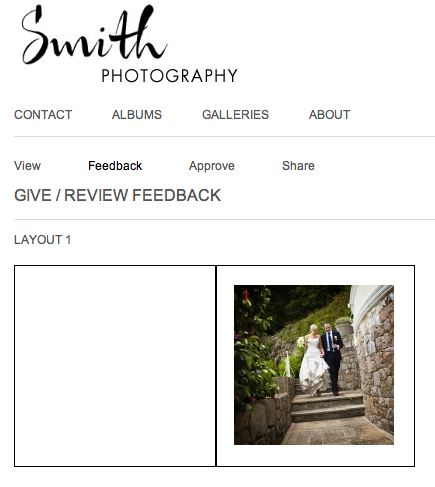
One of the most useful features of Workspace is album proofing. You can proof books and albums you've designed in Photojunction, and also Queensberry books and albums you've designed in Workspace. In the FREE account you can proof Queensberry books and albums, but to proof a non-Queensberry album, you need a Workspace "Basic" subscription, which will cost you $10 per month. The main advantage to Workspace proofing over Albumexposure is that your albums will be proofed on a site that highlights YOUR brand, not Queensberry or AlbumExposure! You can also integrate your Workspace site with your existing To View More >>
This entry was posted in by Admin
Follow the links for "the story so far" in our series on the recession... Yes, times will be tough for a while but you shouldn't assume the sky is falling. It makes no sense to sacrifice your business and market reputation to survive the short term challenge. Instead you may need to pull your horns in and find ways to prosper while others decline. A good place to start is by analysing your budget and business model, and we have a spreadsheet to help with that. Most people react to the threat of declining sales by saying, "I've gotta cut my costs". Everyone needs to work out their own figures, but To View More >>
This entry was posted in by Admin
Let's wrap up this Problem reporter series and stop ignoring the elephant in the room… Who needs a problem reporter anyway? After all, as we confirmed at the webinar it drives some people nuts. Well I'm glad you asked! I should start by saying it's not an unusual concept. Try googling "pre-flight", for example, and check out the Wikipedia and Adobe listings in particular. What the pre-flight process does in the printing industry is ensure that digital files sent for printing are all present, valid, correctly formatted, and of the desired type. Why? Because, if they're not, the job can't be done. To View More >>
This entry was posted in by Admin

If you've got something to sell, the Photojunction Store has huge potential. The store is an ’ online marketplace’ enabling you to buy and sell templates, actions and e-books - or whatever you think other photographers may be interested in. Since we made Photojunction free our active user base, downloads and registrations have all jumped dramatically. Partnering with the Photojunction Store offers you a way to reach those masses, sell your products, and boost your income in the process. So here's a quick look at how to start selling: Make sure you have the latest version of Photojunction Remix To View More >>
This entry was posted in by Admin
Email: info@queensberry.com
Free Phone Numbers:
New Zealand: 0800 905 905
Australia: 1800 146 251
USA: +18668350851
UK: 0800 808 5271
Canada: +1 855 581 0370