

Blog
Welcome


Recent posts
SEARCH RESULTS FOR: Alignment
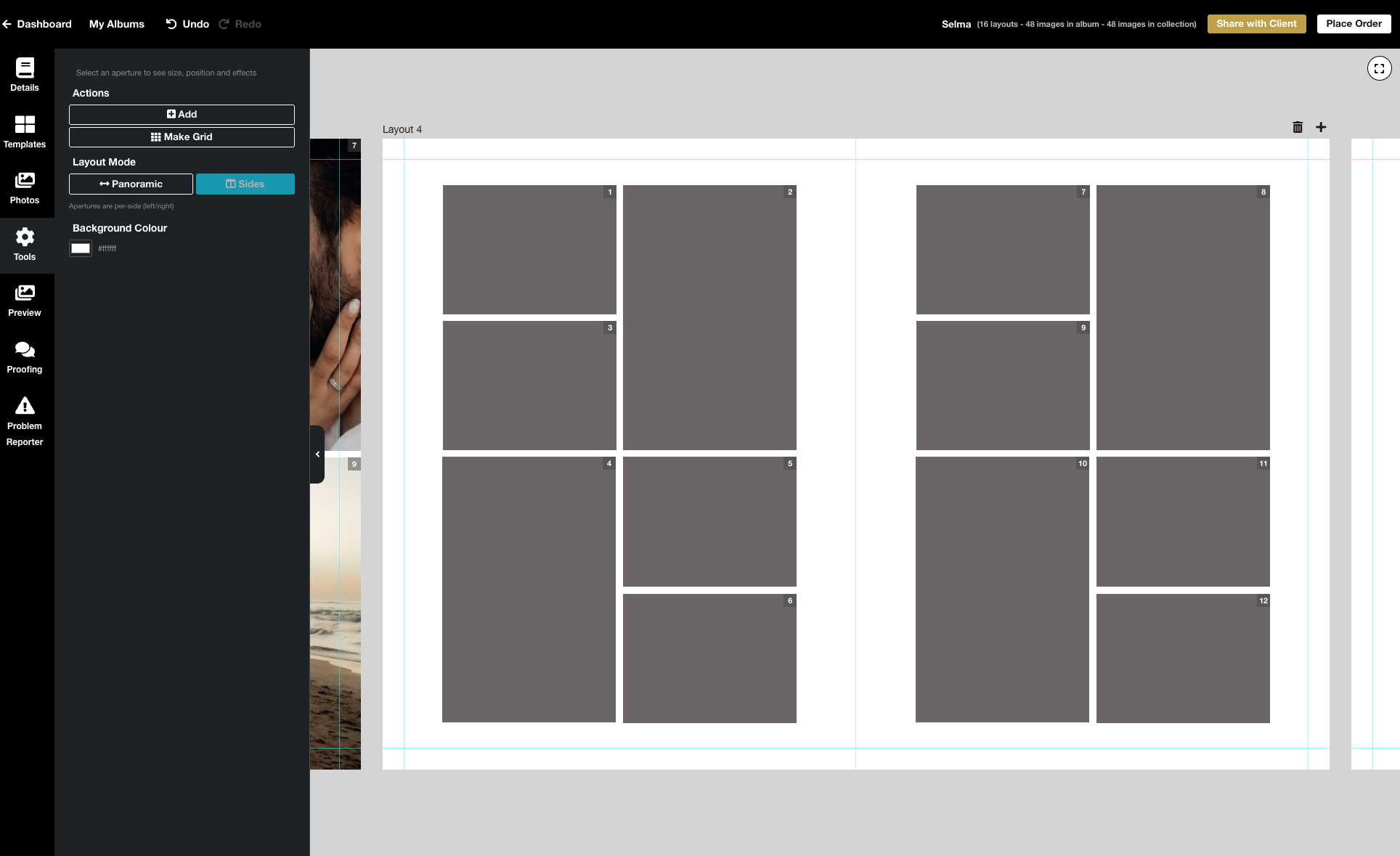
We’re excited to release the biggest update yet to our online Album Designer, focused on the things that matter most when you’re designing: control, speed, and precision. Here is a full list of what’s included in this release: Simple to use, faster and more fluid Our goal is to help you design beautiful albums easily, and you certainly can’t miss the improved performance! Even albums with many high-resolution images feel faster and more fluid: * Faster rendering * Fast movement between pages * Smoother drag-and-drop function * Reduced load times * Improved responsiveness To View More >>
This entry was posted in Product Updates by Stephen Baugh
Previous | Contents | Next Download the eBook "Me me me! My favourite word." — Seth Godin The people paying Here’s the key thing about social photography. Those people in your viewfinder are paying your bills. All of your bills. And the images you take are more or less worthless to anyone else. What are your customers after? Why do they want their photographs taken? Actually, do they want their photographs taken? In social photography the trick is to understand that it’s not about the print, or the album, or the photography, or Photoshop, or what your peers think To View More >>
Previous | Contents | Next Download the eBook “Measure results, change activities.” — Keith Cunningham Focused I’ve never met a photographer with a more analytical approach to his business than Craig. He was a wedding photographer whose goal was to clear “100k in 100 Days” from 30 weddings. (The actual figures don’t matter — they just sound snappy — so I’m not going to tell you when, where or in what currency.) Many a photographer has built a profitable business out of shooting 30 or 40 weddings a year, bur Craig’s To View More >>

We love seeing our books and albums used for out-of-the-ordinary projects, so were delighted when Doyle Yachts asked us to create a book to promote their handmade sails. Months later and we get to share it with you. We love how powerful the full bleed pages look, and think this is going to really help set them apart. Doyle chose to order two 12x12 Q Book Lights, and asked us for a complete 80 page design (160 sides). This meant we had enough room for large images, but also space to incorporate text throughout the design to explain different aspects of the sails. Projects To View More >>
This entry was posted in Stories by Alexandria Baugh

Here are five reasons why we reckon you should give Queensberry Photo Books a try 1. Quality and presentation matter The fact we've worked hard to make Photo Books more affordable doesn't mean they're lower quality. They're built to the same standard as our albums — the same cover construction, the same cover materials, the same quality control and attention to detail. Presentation is important too. Our Photo Books are presented in a our grey suede bag. We deliver freight-free to you, or directly to your clients. 2. More pages Photo Books come with up to 80 lightweight To View More >>
This entry was posted in Product Updates by Alexandria Baugh

A series about storytelling in album design. Highlight the Heroes Every story needs a hero, and so does your album design - probably one on most layouts! The hero image is the focal point, the main attraction, the place you want the viewer's eye drawn to. In graphic design speak it’s called creating visual hierarchy. The supporting characters help the story along and keep things interesting, but it's the heroes you want to shine. I talked about ways to begin and wrap up a story previously, but the middle of the story is where the action is. People dress up and assemble together, the guy finally To View More >>
This entry was posted in by Admin

Photojunction's alignment tools are pretty cool (here's a video) but just occasionally tech support gets asked a question, and we think, "I should know that" or, "Good idea - can PJ do it?" Today I got asked about aligning images centrally between a panorama image and the edge of the page, as in the picture. When in doubt I ask a developer. Yes, they said, and here's how: 1. Add your images to the page and arrange them roughly where you want them to be. In this case I would place the pano image how I want it and then align and space the three smaller images as a group, as normal. The challenge To View More >>
This entry was posted in by Admin

In many labs these days the only people who look at your prints are the Dispatch team. Strange as it seems, that makes sense – it's your files they’re printing, and something has to give if you want low prices. But it doesn’t make sense at Queensberry. We critique everything we print, including Print-Ready. The difference is we see the image files with Full Colour Service (because it’s our job to colour correct them) whereas we don’t see Print-Ready work until it’s printed . But why review Print-Ready work at all? Print-Ready means you edit your images yourself, and we don’t modify To View More >>
This entry was posted in by Admin

I got a few pats on the back for my "check your files" post. Chris Meiklejohn, our lab manager, liked it so much that she wanted a sequel. In fact she wrote one! The funny thing was my team mates had already got me one started on a follow-up, and the things on Chris' list were pretty much the same as ours. So, drum roll… (If you like this, I wrote it. Otherwise, it's Chris!) 8 ways to better print files Would you love to have your albums arrive on your doorstep faster, hassle-free, and beautifully printed? You put a lot of work into them, so they might as well be perfect. We definitely want To View More >>
This entry was posted in by Admin
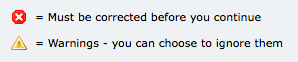
Ideally I like to see the Problem Reporter empty every time I finish a design, but it isn't always, and you're probably the same. By default, any errors you can't ignore are listed first in the Reporter - the ones with the little red and white "X" against them. We can't make your album until they're corrected, so PJ won't let you send your order until they are. The items with the little yellow warning triangle you can ignore if you like. They're sorted into spacing issues, then sizing issues, and lastly alignment issues. Obviously, you want to take care of your red issues first. Complete your album To View More >>
This entry was posted in by Admin
Email: info@queensberry.com
Free Phone Numbers:
New Zealand: 0800 905 905
Australia: 1800 146 251
USA: +18668350851
UK: 0800 808 5271
Canada: +1 855 581 0370