

Blog
Welcome


Recent posts
SEARCH RESULTS FOR: album covers
A fairly common thing we hear from photographers is: “My clients just don’t want printed products.” But here’s the truth — more often than not, it’s not that they don’t want them. It’s that they’ve never been shown the value of them. They’re used to digital galleries. They expect USBs. That’s what the industry has trained them to expect. But just because it’s all they know, it doesn’t mean that’s all they want. Ian tells the story of being in a seminar with a number of very wealthy Americans. When he tried To View More >>


We believe that the best way to sell albums and other products is to create a tailored line that suits your market, personal imagery and brand. And we’ve realised that one little thing standing in the way is that you can’t customise our current cover material swatches to help you do that — select products, materials and colours, and then guide your clients to the right choice. So we've decided to relaunch our cover swatches to suit. We're now offering two different cover swatch tools, to choose your materials and to display them beautifully to clients. The first is To View More >>

There's a huge amount of power in Workspace. We know, we use it all, and we love it! Queensberry’s website is built on Workspace. We blog in Workspace. We sell in Workspace. And we design albums in Workspace, and Photojunction — half the albums we make, in fact, all part of our free album design service. But not everyone wants to use our software to design Flushmount albums and Q-Books … not when they're already up and running with cool alternatives like Fundy, SmartAlbums, or Adobe's InDesign and Photoshop. To View More >>
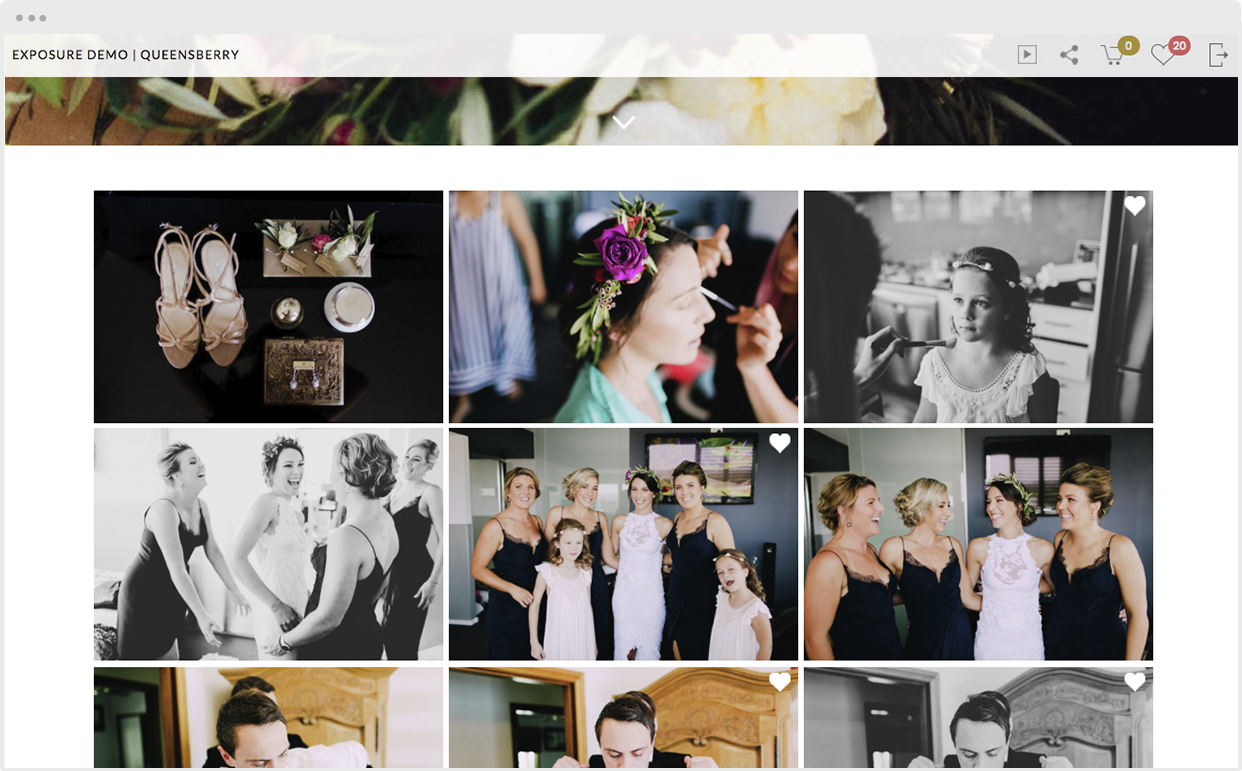
The sole purpose of our Favourites feature is to make your job as a photographer easier. Your clients select their favourite images by clicking the Workspace heart while hovering over an image. (On mobile you can reveal the Favourite button by tapping an image to view it full screen.) Your clients can review their Favourites by clicking the Heart icon at the top right of the screen. You can view them too, in the backend of Workspace, and use them, for example, to order prints, or other products you offer, or to design an album. To View More >>

Click the screenshots to view them full size Workspace is constantly evolving. If you haven't tried it lately you haven't tried it! This week we’re excited to announce that we’ve just upgraded Workspace slideshows for smartphones and tablets. On iOS and Android devices your image collections now display like mobile apps, which on iOS your customer can even install easily on their home screen. Scroll down for demos, and click the big gold button for an introductory offer! Here's the back story... From Day One our goal for Workspace has been to make it super-easy to host and display your To View More >>
Email: info@queensberry.com
Free Phone Numbers:
New Zealand: 0800 905 905
Australia: 1800 146 251
USA: +18668350851
UK: 0800 808 5271
Canada: +1 855 581 0370