

Blog
Welcome


Recent posts
SEARCH RESULTS FOR: Pre-design
Whether it’s their first enquiry, the day of the shoot or the day they receive their beautiful prints, every interaction with your client shapes their impression of you and your brand. Here’s a straightforward process to analyse and improve your client experience, step by step. 1. Understand the customer journey Start by listing all the steps your clients take when working with you — their initial enquiry, the booking, your pre-shoot communications, the shoot itself, and product selection and delivery. Any others? Identify the key moments and To View More >>

The four-week New Zealand COVID-19 shut-down starts 26 March. And since announcing that Queensberry's production will be on hold for the duration we’ve had lots of people asking whether Print Shop will be available. It's obviously unfortunate timing, but the short answer is yes. However, order deliveries will be delayed. Print Shop functionality will remain active in Workspace, and we encourage you to continue setting up — not just Print Shop but also, if you haven't done so yet, your standard Image Gallery shopping carts. The shut-down of person-to-person To View More >>

A personal website for your clients, with your photography, your client's album design, a gift registry, a guest book, a link to your own site… oh, and a shopping cart! In just a few minutes you can create a beautiful-looking site that your clients will find appealing and useful, that provides a convenient way to interact with them about their album, and that helps spread the word about you, while encouraging some nice add-on sales from friends and family. Workspace has three new and improved designs that reflect our web themes, are mobile responsive, and are just as easy To View More >>
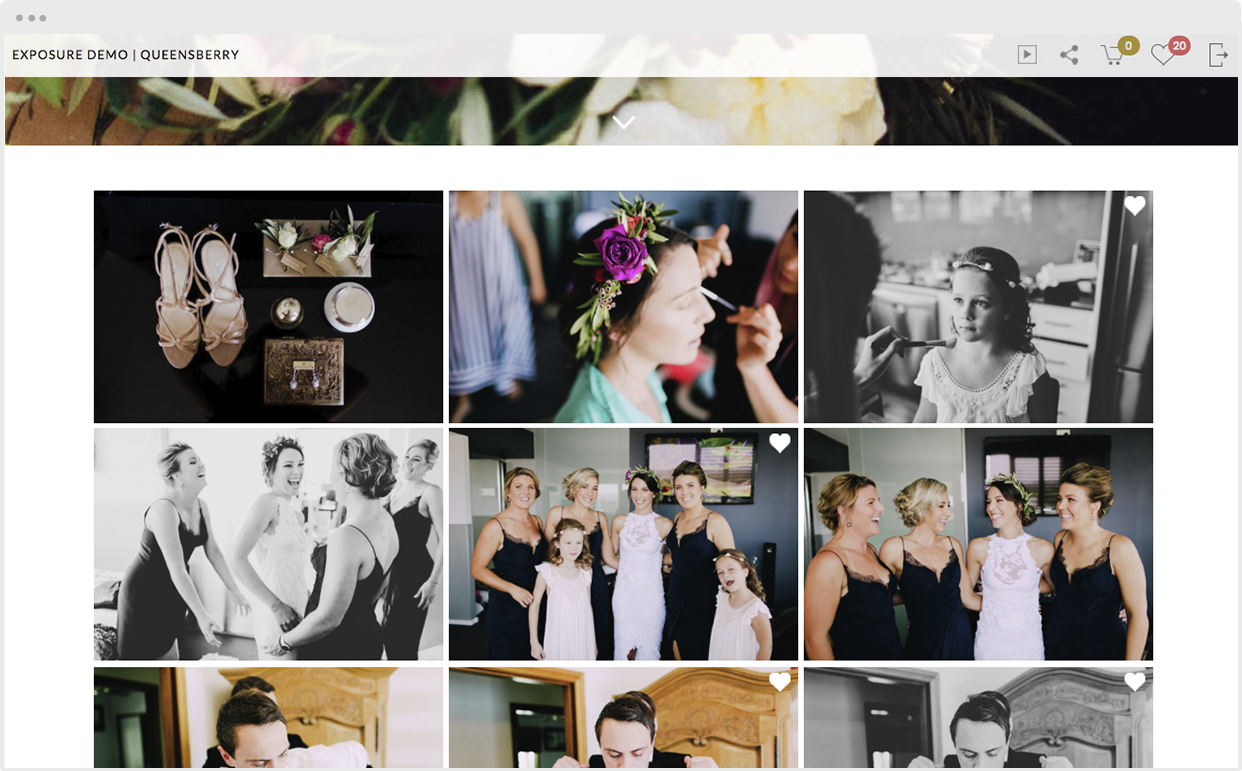
The sole purpose of our Favourites feature is to make your job as a photographer easier. Your clients select their favourite images by clicking the Workspace heart while hovering over an image. (On mobile you can reveal the Favourite button by tapping an image to view it full screen.) Your clients can review their Favourites by clicking the Heart icon at the top right of the screen. You can view them too, in the backend of Workspace, and use them, for example, to order prints, or other products you offer, or to design an album. To View More >>

Written by: Clare Breheny When I worked in a corporate environment we would have literally hundreds of company-specific terms and acronyms that we used in meetings and emails to describe processes, systems, customers, products etc etc. When someone new joined the company we’d forget and spout out all these three letter acronyms, and we would see their face glaze over as if we were speaking a foreign language. For us, that was how things worked and what things were called. It was our day-to-day language and modus operandi. It would take a new person joining to remind us that To View More >>
Email: info@queensberry.com
Free Phone Numbers:
New Zealand: 0800 905 905
Australia: 1800 146 251
USA: +18668350851
UK: 0800 808 5271
Canada: +1 855 581 0370