

Blog
Welcome


Recent posts
SEARCH RESULTS FOR: Photoshop

There's a huge amount of power in Workspace. We know, we use it all, and we love it! Queensberry’s website is built on Workspace. We blog in Workspace. We sell in Workspace. And we design albums in Workspace, and Photojunction — half the albums we make, in fact, all part of our free album design service. But not everyone wants to use our software to design Flushmount albums and Q-Books … not when they're already up and running with cool alternatives like Fundy, SmartAlbums, or Adobe's InDesign and Photoshop. To View More >>


A few clients have told us that they prefer to export their own printing files (page layouts) in Photojunction, but the "Export" button seems to have disappeared. So what have we done with it? Whether the Export button appears or not is dependent on whether you or we (Queensberry) are to do the exporting, and that depends on the option you choose in the Service dropdown menu during album set up. Looking at the screenshot, if you choose Print and Assemble you'll need to do the export - ie create the PSD layouts and, if need be, edit the files before you upload them to us. If you chose Export, Print To View More >>

I've talked about Photojunction and Workspace. Now may I introduce you to Queensberry Lab Direct. This downloadable program is for Aussie and Kiwi photographers to order print products (traditional prints, canvases and fine art inkjet) from us. The difference between Lab Direct and the Workspace shopping cart system is that with Lab Direct, you are placing a wholesale order and paying for it yourself, whereas in Workspace it's your client placing the order, and paying the retail price that you set. Lab Direct very simple. All you need to do is to import the images, much the same as you do with To View More >>
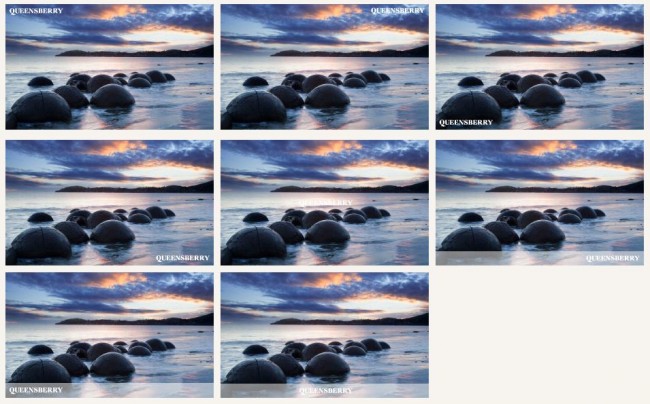
The feature that everyone has been calling out for has arrived. Everyone knows that if you stick images online people will want to cut you out of the loop and copy them to their desktops. Well, they say it's better to be pirated than ignored, but we still don't like it, so how can Workspace stop this happening to you? First, a while ago we programmed Workspace to not allow the right-click copy and paste function. But the big deal is our new Watermark feature. All you need to do is upload a watermark and apply it to your images. Where to start? First, design your watermark in Photoshop. The proxies To View More >>

So there you are, looking through the expensive bit of glass on the front of your camera at two people you hardly know, thinking how do I make them look good? Is it a trick with the light? Is it a 'looking good' filter under the Artistic Filter menu in Photoshop? Is it making them really, really small in the image so you can't tell anyway, but man oh man that scenery is spectacular? Is it that they paid you SOOO much that they believe they will look good regardless of what you do, a bit like the 'Emperor's new photographer'? Is it that the photograph itself looks good, so by association/participation To View More >>
Email: info@queensberry.com
Free Phone Numbers:
New Zealand: 0800 905 905
Australia: 1800 146 251
USA: +18668350851
UK: 0800 808 5271
Canada: +1 855 581 0370