

Blog
Welcome


Recent posts
SEARCH RESULTS FOR: Cut-in
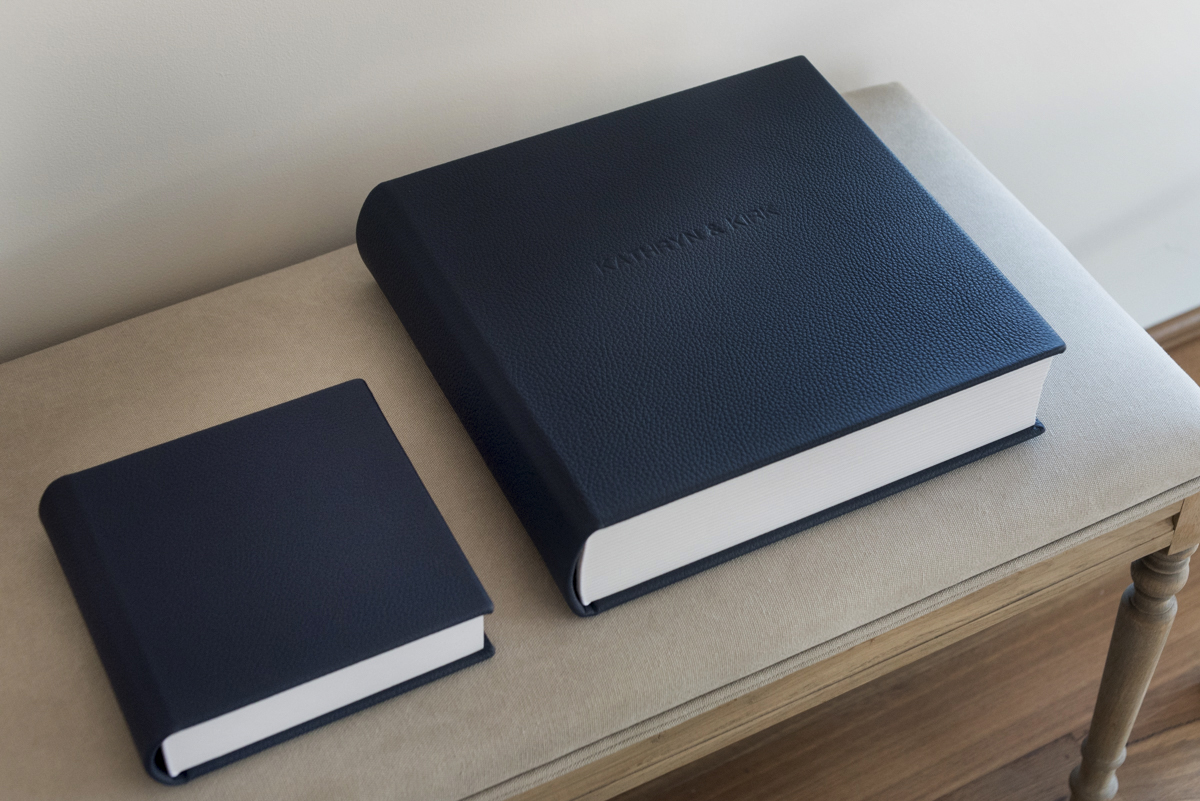
We saw this beautiful album by DeRay and Simcoe Photography as it went through the bindery. For a little something different, they photographed the album for us! Take a look at their great photos of the main album and copy, and some words about the big day. "Kathryn and Kirk have been the easiest clients to work with since they booked their wedding with us more than 12 months before the big day. A late September wedding, the weather forecast wasn’t great for the day but they weren’t too worried and went ahead with their 'plan A' with no dramas at all." "Their friends and bridal party To View More >>

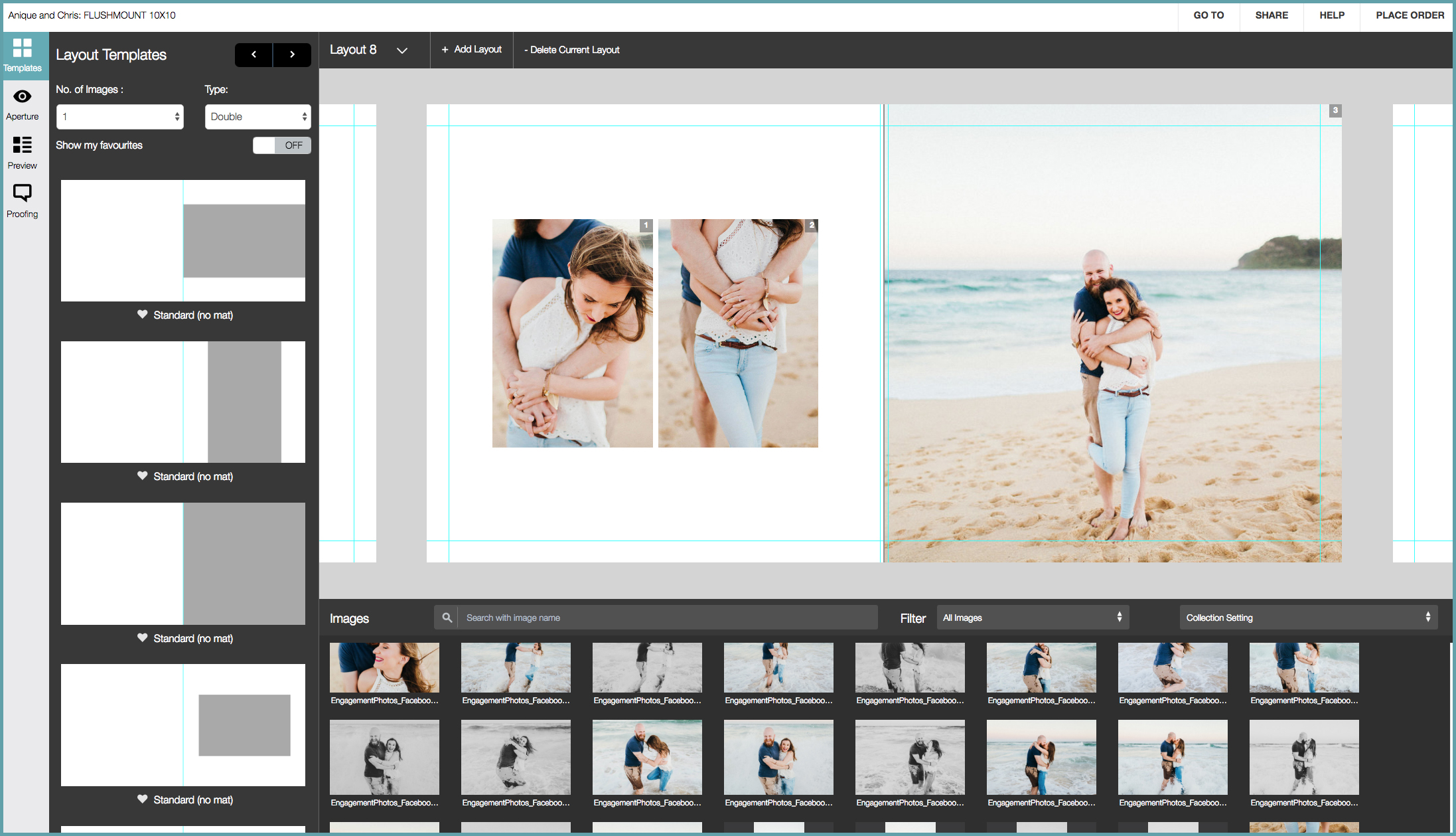
How do you design a Queensberry album? Well, we can design it for you, or you can do it yourself using third party software like Fundy or SmartAlbums, our desktop application Photojunction, or the Workspace Album Designer. But — let's be frank — until now the Workspace design feature has been just a little underpowered! We've been working hard to change that, however, and we reckon Workspace Album Designer is turning into a powerful and intuitive program that for many people could just be their best choice. To View More >>

When our friends from NZTE (New Zealand Trade and Enterprise) wanted a customised book designed for Judith Thompson, the retiring Director of Better by Design, we were more than happy to jump aboard. The brief was for Queensberry to design, print and bind a book filled with photos and personal messages supplied by staff, clients and friends from her time with NZTE. Click on the images to take a closer look. Judith’s overall responsibility included a range of design education initiatives including the regional CEO talk series, study tours to Silicon Valley and Better By Design's annual CEO Summit. To View More >>

There's been a LOT of interest generated by the new Workspace mobile app, so I thought I'd remind you how easy Workspace sharing is. Next time I'll suggest the best place to share. Let's assume you've uploaded some images and now you're in Workspace looking at the image collection you want to share... (Click the screenshots to view them full-size)... 1. Click the big blue SHARE button to open the sharing pop-up window. You should explore the other options but the window opens to "auto" (my favourite - see below) where you can set up automatic sharing to Facebook profiles and pages, Twitter and/or To View More >>

We have released a new Queensberry colour profile to simplify your workflow. Changes to the profile itself are minor. The difference is that until now we've distributed paper-specific colour profiles (Lustre, Metallic etc). That became unwieldy with the introduction of multiple paper stocks for our inkjet and digital offset printers. We now offer a single soft-proofing colour profile, and make adjustments at Queensberry depending on the print and paper options you have requested. WHAT TO DO You can download our profile from this page. With Aperture and Lightroom, simply follow the software's directions To View More >>
Email: info@queensberry.com
Free Phone Numbers:
New Zealand: 0800 905 905
Australia: 1800 146 251
USA: +18668350851
UK: 0800 808 5271
Canada: +1 855 581 0370