

Blog
Welcome


Recent posts
SEARCH RESULTS FOR: Featured Wedding Album
Our new Online Album Designer is a great on the go resource that makes designing and editing books and albums quick and easy. Today we show you how you to swap images around in the design. To switch images on the same layout: Drag and drop one image over the other. They will change places. To switch an image with another on a different layout: Click one of the images you want to switch and drag it to the side of the screen, which will allow you to scroll through the layouts. When you get to the layout you want, drag the image you're moving over the image To View More >>


Here’s how to get instant answers to urgent questions like these (oh, and read on for our special offer!): Have you received my order? Is my album in production? When will it be shipped? How can I track it in transit? How do I make a payment? We’ve added a MY QUEENSBERRY ACCOUNT button to your Workspace Dashboard that gives you direct access to all that information and more. It’s the same live data our staff have access to, but you won’t have to wait for us to receive your enquiry and reply. Especially if we’re in way different time zones! Why not check it out To View More >>

I got a little reminder about walking in our customers' shoes this week. We ran a survey asking regular users about twelve Workspace functions and features, from ordering albums to hosting to shopping cart sales — how important they were to people, how often they used them in Workspace, and how easy they were to use. The thing is we (OK, I) focused on how photographers experience Workspace, but not on how it works for your customers. That’s pretty bad, but in a sense understandable … because although at Queensberry we use Workspace heavily every day (in fact the entire To View More >>

When it comes to design we know that where you start may be not where you end up. That is why in Workspace we have a couple of features to help: First, in Workspace's Albums area you can review the design Queensberry's done, share it with your clients, and pass back any comments and edits to us. Second, you may have a change of heart and want to include additional files that weren't uploaded to Workspace in the initial round. You need to be aware that we are not working directly with your Collections in Workspace. Our designer team use Photojunction instead. When you send us a design order is To View More >>
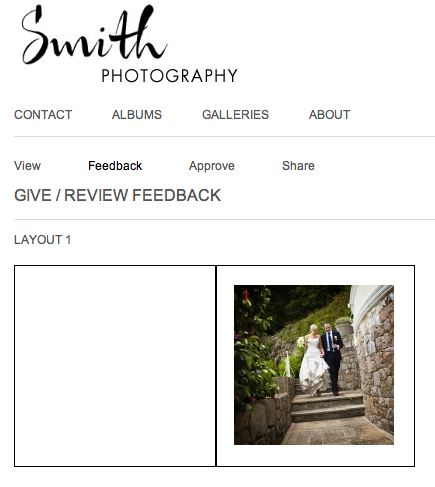
One of the most useful features of Workspace is album proofing. You can proof books and albums you've designed in Photojunction, and also Queensberry books and albums you've designed in Workspace. In the FREE account you can proof Queensberry books and albums, but to proof a non-Queensberry album, you need a Workspace "Basic" subscription, which will cost you $10 per month. The main advantage to Workspace proofing over Albumexposure is that your albums will be proofed on a site that highlights YOUR brand, not Queensberry or AlbumExposure! You can also integrate your Workspace site with your existing To View More >>
Email: info@queensberry.com
Free Phone Numbers:
New Zealand: 0800 905 905
Australia: 1800 146 251
USA: +18668350851
UK: 0800 808 5271
Canada: +1 855 581 0370